Holiday Hack Challenge 2025 - Blob Storage Challenge in the Neighborhood
A cloud security challenge auditing Azure storage accounts to identify publicly accessible blob containers exposing sensitive credentials due to misconfigured access controls.
Solving the Challenge
| After opening up the terminal we are greeted with the message “You may not know this but the Azure cli help messages are very easy to access. First, try typing: $ az help | less”, so I went ahead and entered the command az help | less. Doing so showed the usual az help output in a scrollable format. |
Next, I ran az account show | less to view the Azure subscription details and confirm our authentication context. We were working in the “theneighborhood-sub” subscription.
The terminal then prompted us to list all storage accounts, so I ran az storage account list to see all the storage accounts in the HOA’s Azure environment.
Instantly something sticks out: the "allowBlobPublicAccess" property of neighborhood2 being set to true, while all other storage accounts had this set to false. Additionally, neighborhood2 had other security issues including an outdated TLS version (TLS1_0) and blob encryption disabled.
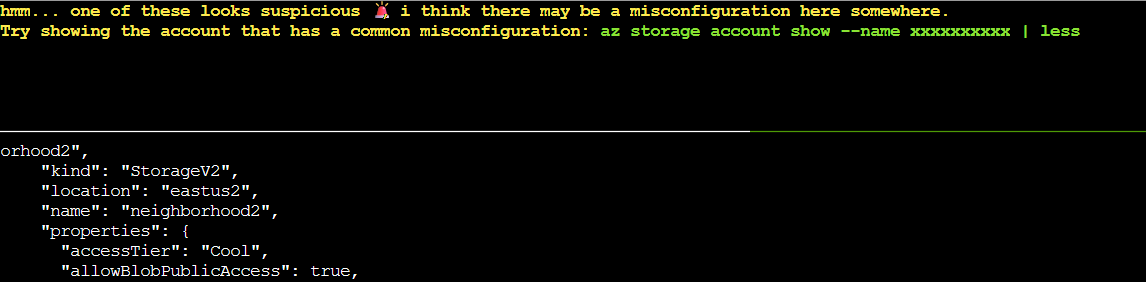
Continuing to follow the onscreen prompts, I entered az storage account show --name neighborhood2 | less to examine this suspicious storage account in more detail. This confirmed the misconfiguration but didn’t show us the containers within the account.
To investigate further, I ran az storage container list --account-name neighborhood2 to see what blob containers existed in this storage account.
This revealed the problem: The “public” container in neighborhood2 has "publicAccess": "Blob" - meaning anyone on the internet can access blobs in this container if they know the blob names. The other container, “private”, had "publicAccess": null, which is the secure configuration.
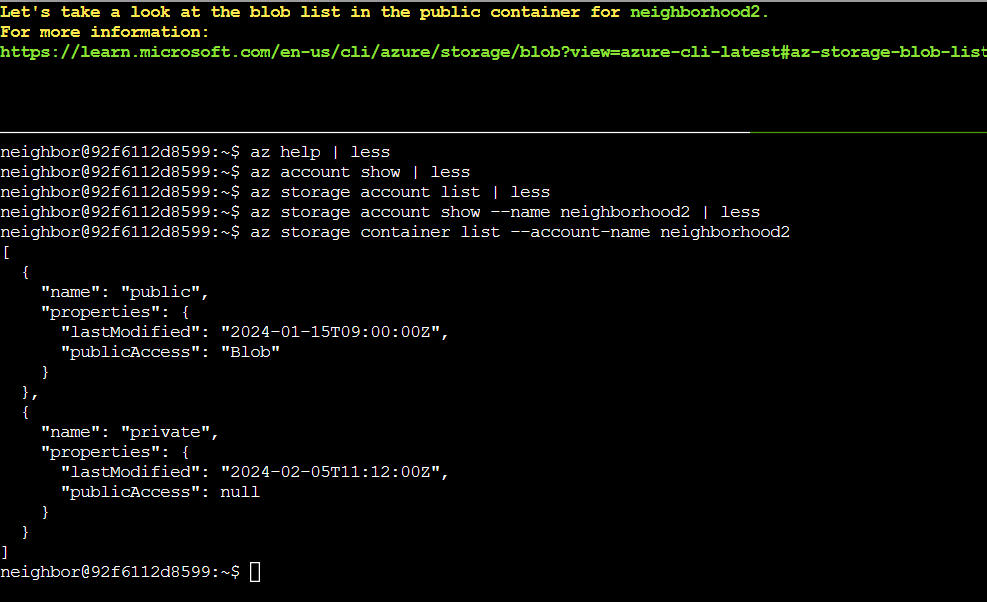
The terminal prompted us to take a look at the blob list, which we can do with the command az storage blob list --account-name neighborhood2 --container-name public.
The output showed that there is a file named admin_credentials.txt with the metadata note “admins only”. However, we know this is publicly accessible due to the container’s configuration. In order to download and view the file, I ran the command az storage blob download --account-name neighborhood2 --container-name public --name admin_credentials.txt --file /dev/stdout | less.
As seen below, the file contained all sorts of important login credentials to various accounts including Azure Portal, Windows Server, SQL Server, Active Directory, and Exchange Admin - all in plaintext. This is a critical security vulnerability seeing how anyone on the internet could access these credentials without authentication.
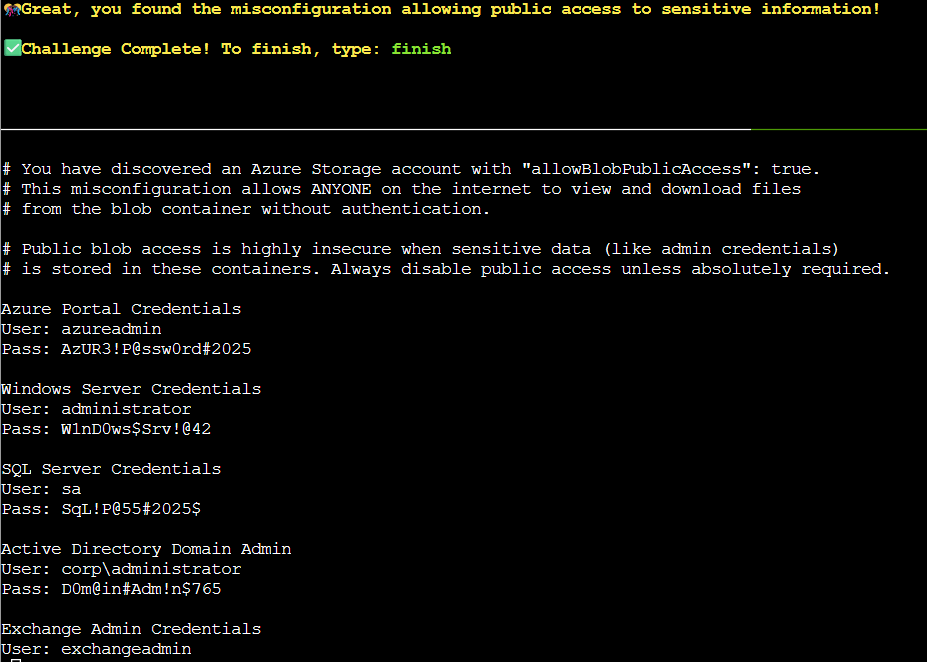
We are not actually required to fix the vulnerability in this challenge, so all we had to do now was exit less and type “finish” to complete the challenge.