Advent of Cyber 2025 - Day 6 - Egg-xecutable
Day 6 of Advent of Cyber 2025 introducing malware analysis fundamentals through static and dynamic analysis of a suspicious executable using PeStudio, Regshot, and Process Monitor to identify malicious behaviors and persistence mechanisms.

Description
The town of Wareville remains quiet in the middle of the night. While the residents of Wareville are nicely tucked up in bed, blissfully unaware, the SOC team at The Best Festival Company (TBFC) remain alert, poised and ready for whatever may face them. Monitoring their screens, armed with a freshly poured mug of hot cocoa, the elves of the SOC watch their dashboards diligently. Suddenly, the elves receive an email in unison from Elf McClause, Head of Elf Affairs, in their inboxes. It reads:
1
2
3
4
5
6
7
8
9
10
11
12
13
14
15
16
17
18
19
20
21
22
23
24
25
26
27
From: Elf McClause

Subject: A new schedule awaits

Attachments: HopHelper.exe


To all Elves, going forward, we will be using a new program for creating and viewing team rotas.


This new program will revolutionalise how rotas are made here at The Best Festival Company.


Please contact IT support if you have issues running the program.


Kind regards, remain the best,


Elf McClause

Head of Elf Affairs
“Why is Elf McClause working at 3AM?” Screams a member of the SOC team in the background. They’re right, something is amiss. Elf McBlue is immediately suspicious. Their years of experience in the SOC have given them the wisdom not to download “out of the blue” executables. Without McSkidy’s wisdom, Elf McBlue takes charge, loading up their malware investigation toolkit - the investigation begins.
Learning Objectives:
- The principles of malware analysis
- An introduction to sandboxes
- Static vs. dynamic analysis
- Tools of the trade: PeStudio, ProcMon, Regshot
Introduction
This is the sixth challenge in this year’s Advent of Cyber hosted by TryHackMe, a 24 day cyber security challenge where new objectives are released every day. Each objective consists of multiple questions and flags we must find on their machines, sometimes by simply following their instructions and other times by needing to find something hidden ourselves. This challenge focuses on malware analysis, covering both static and dynamic analysis techniques. We’ll be investigating a suspicious executable file called HopHelper.exe that was sent to TBFC’s SOC team in a suspicious 3 AM email claiming to be a new rota management program. Using tools like PeStudio, Regshot, and Process Monitor, we’ll analyze the malware to understand how it operates and what defensive measures can be implemented. As usual, we begin by launching the target machine and either connecting to it via VPN or using their in browser attack box, which I will be doing.
Solving the Challenge
For this challenge we will need to use the Windows VM provided by them with all the software we need already installed. I will be using the in-browser machine, but you can also connect to it via RDP as long as you are connected to the TryHackMe VPN.
Static analysis: What is the SHA256Sum of the HopHelper.exe?
For this we will need to use PeStudio which is included in the VM. Once it’s open we can simply drag and drop HopHelper.exe (located in a folder on the desktop) inside and see various properties of the program, including the SHA256 hashsum.
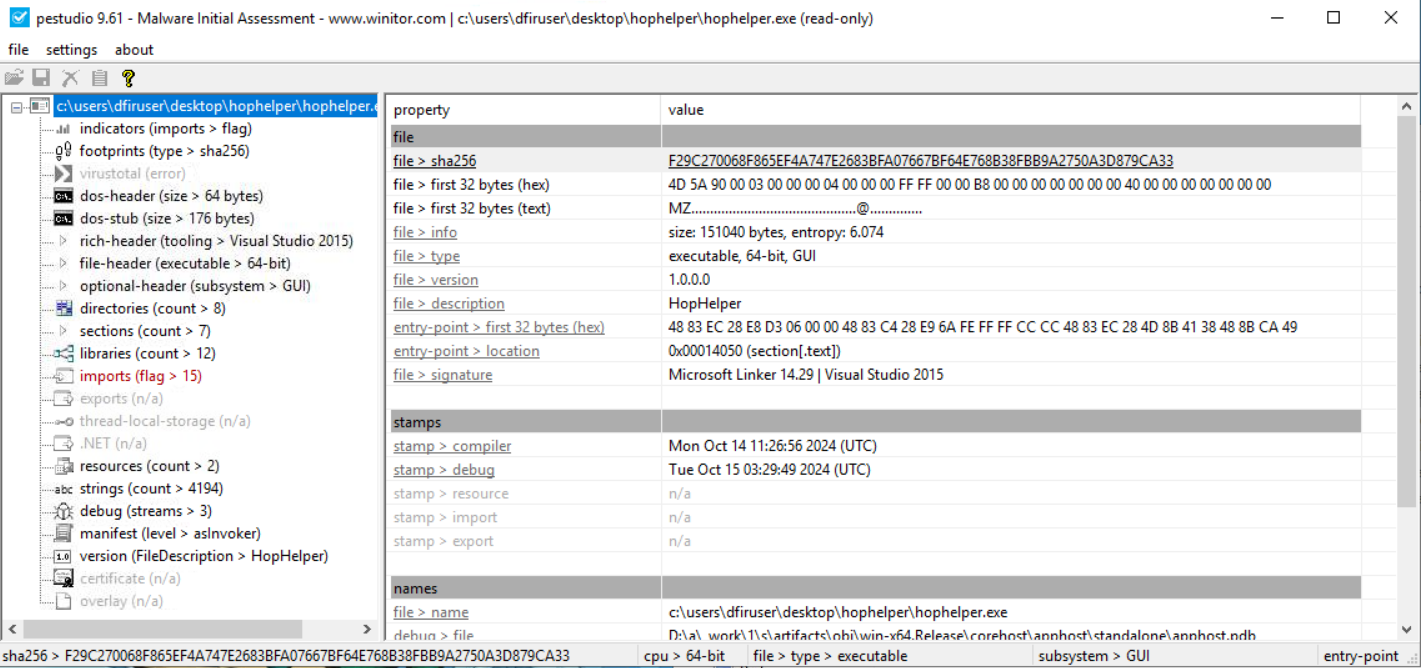
Answer: F29C270068F865EF4A747E2683BFA07667BF64E768B38FBB9A2750A3D879CA33
Static analysis: Within the strings of HopHelper.exe, a flag with the format THM{XXXXX} exists. What is that flag value?
To find this we can simply click on the strings section on the left hand side of PeStudio, which lists every string found in the program. Then we click where it says value to sort them alphabetically, which makes it easier to locate the flag since it starts with “THM”. We scroll until we reach the “T” section (“T” and “t” are sorted separately).

Dynamic analysis: What registry value has the HopHelper.exe modified for persistence?
To find this we need to use Regshot, a tool that takes snapshots of the Windows registry before and after running malware to identify changes. First, I opened Regshot and set the output to save to the desktop for ease. With that done I took the 1st shot.
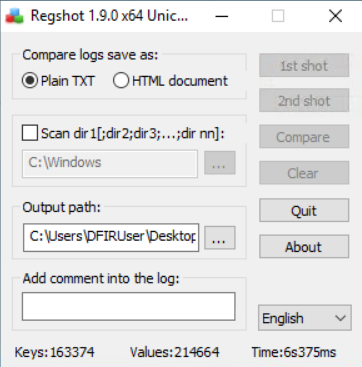
After a while the program finished taking the first shot, and the button became greyed out.
Next, I ran the HopHelper.exe executable and waited for it to finish. The program proceeded to change the icon of several programs to eggs (a clear indicator of malicious behavior) and ended with a pop up box conveying a message from King Malhare, one of the antagonists of this year’s Advent of Cyber.
With the program having run, I proceeded to return to Regshot and took the second shot. Once it was done, all we needed to do was click compare.
Doing so opens up a text file with all of the registry keys added and modified between the snapshots. In the Values added section we see a key added to the HKU\S-1-5-21-1966530601-3185510712-10604624-1008\Software\Microsoft\Windows\CurrentVersion\Run\ part of the registry, specifically a value named HopHelper. This registry location is used for persistence because any program listed in this registry key automatically executes when the user logs in, ensuring the malware runs every time the system boots.

Answer: HKU\S-1-5-21-1966530601-3185510712-10604624-1008\Software\Microsoft\Windows\CurrentVersion\Run\HopHelper
Dynamic analysis: Filter the output of ProcMon for “TCP” operations. What network protocol is HopHelper.exe using to communicate?
For this we need to run ProcMon, which is located on the desktop of the machine. While capture is on (indicated by the play button in the toolbar showing a red circle when actively capturing), I ran HopHelper.exe again and waited for it to finish. Once that was done I opened the filter tool and added a filter for Process Name is HopHelper.exe then Include.
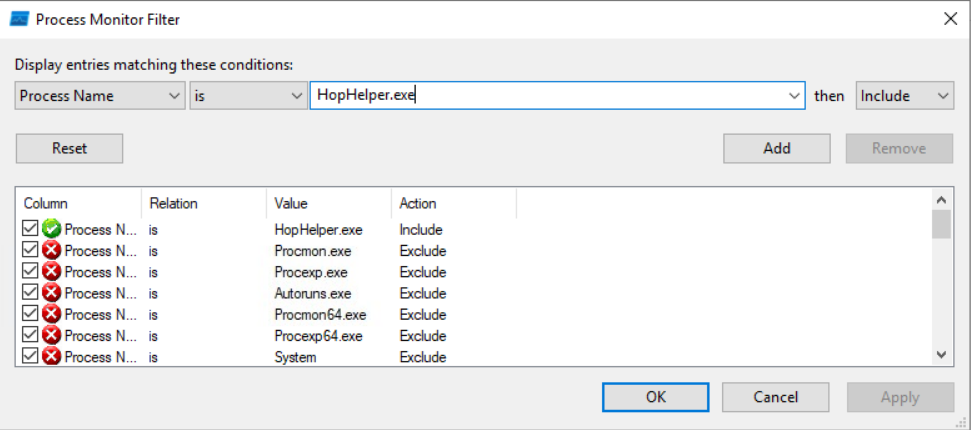
I then deselected every option on the toolbar besides Show network activity, leaving me with only the network information of HopHelper.exe, showing that it was using HTTP to communicate. This is significant because HTTP traffic can blend in with normal web browsing, making the malware’s communication harder to detect.

Answer: http