Advent of Cyber 2025 - Day 5 - Santa's Little IDOR
Day 5 of Advent of Cyber 2025 exploring Insecure Direct Object Reference (IDOR) vulnerabilities by identifying weak access controls, exploiting horizontal privilege escalation, and understanding authentication versus authorization flaws.

Description
The elves of Wareville are on high alert since McSkidy went missing. Recently, the support team has been receiving many calls from parents who can’t activate vouchers on the TryPresentMe website. They also mentioned they are receiving many targeted phishing emails containing information that is not public. The support team is wary and has enlisted the help of the TBFC staff. When looking into this peculiar case, they discovered a suspiciously named account named Sir Carrotbane, which has many vouchers assigned to it. For now, they have deleted the account and retrieved the vouchers. But something is going on. Can you help the TBFC staff investigate the TryPresentMe website and fix the vulnerabilities?
Learning Objectives:
- Understand the concept of authentication and authorization
- Learn how to spot potential opportunities for Insecure Direct Object References (IDORs)
- Exploit IDOR to perform horizontal privilege escalation
- Learn how to turn IDOR into SDOR (Secure Direct Object Reference)
Introduction
This is the fifth challenge in this year’s Advent of Cyber hosted by TryHackMe, a 24 day cyber security challenge where new objectives are released every day. Each objective consists of multiple questions and flags we must find on their machines, sometimes by simply following their instructions and other times by needing to find something hidden ourselves. This challenge focuses on IDOR (Insecure Direct Object Reference) vulnerabilities, a type of access control issue where web applications fail to properly verify user permissions before returning data. We’ll be investigating the TryPresentMe website after reports of suspicious activity involving a user named Sir Carrotbane, targeted phishing emails containing non-public information, and issues with voucher activation. The goal is to identify and exploit the IDOR vulnerabilities that allowed unauthorized access to user data. As usual we begin by launching the target machine and either connecting to it via VPN or using their in browser attack box, which I will be doing.
Solving the challenge
What does IDOR stand for?
As explained in the challenge text IDOR stands for Insecure Direct Object Reference
Answer: Insecure Direct Object Reference
What type of privilege escalation are most IDOR cases?
IDOR is usually Horizontal privilege escalation, where you use a feature you are authorized to use, but gain access to data that you are not allowed to access. This is different to Vertical Privilege Escalation where you gain access to features you’re not supposed to access.
Think of it like this: You’re a normal user on a system with only access to your data. Horizontal is where you gain access to other normal users data on the system. Vertical is where you gain admin permissions.
Answer: Horizontal
Exploiting the IDOR found in the view_accounts parameter, what is the user_id of the parent that has 10 children?
To solve this question we need to actually launch the machine and connect to it via VPN or the in-browser attack box which I will be using. We can then navigate to the IP of the machine on our browser and log in using the given credentials niels / TryHackMe#2025.
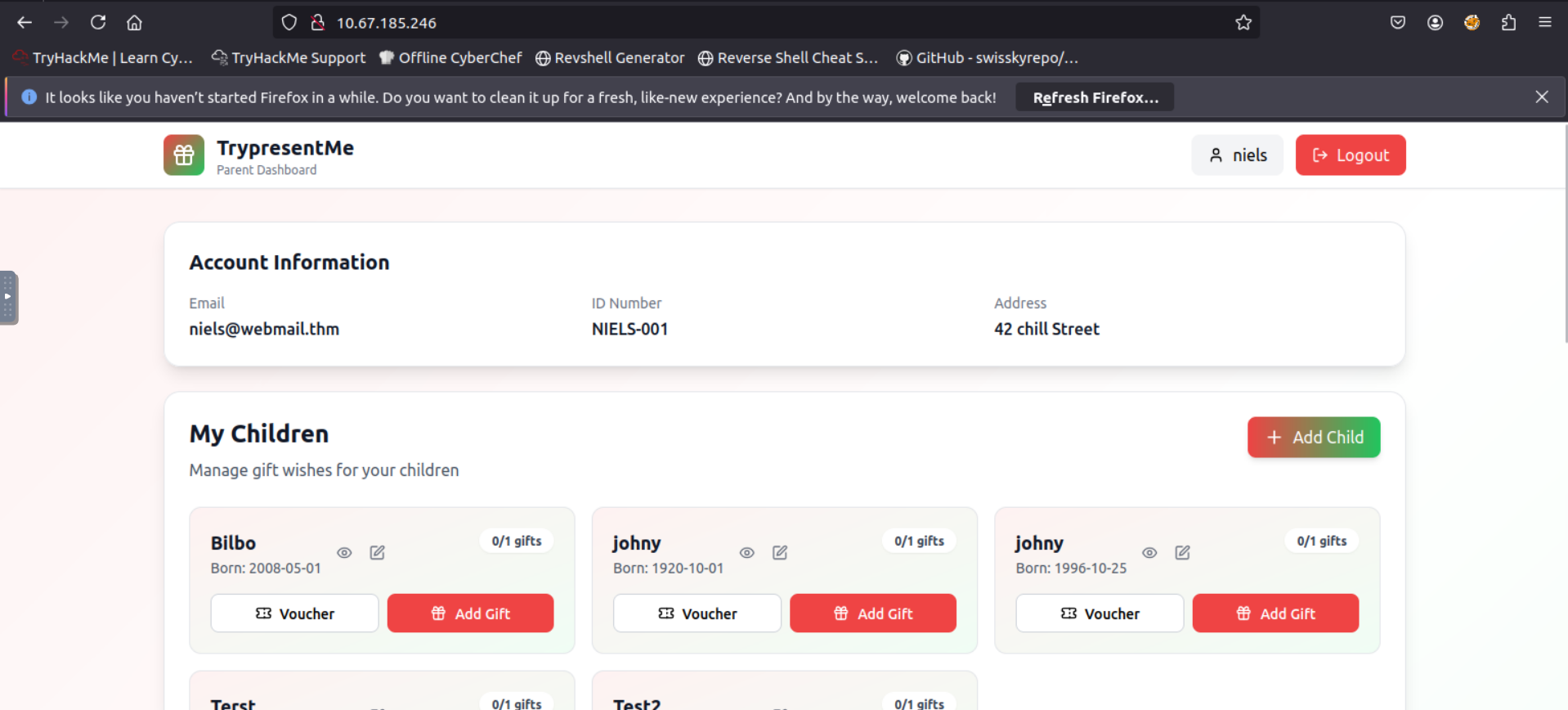
Once we’re logged in we need to open up the browser’s developer tool and head to the the network tab. Upon doing a refresh, we can see that view_accountinfo works by directly referencing the user_id parameter. This is a classic example of IDOR, since the application doesn’t verify that we’re authorized to view the requested user_id. All we need to do is change the user_id to something else in order to view another account’s info.
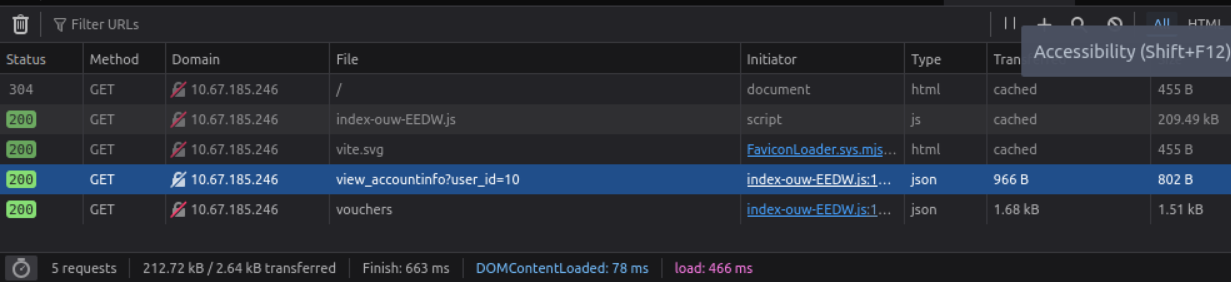
Changing the value can be done through burp suite which is what you would do if you wanted to do extensive testing as it’s faster, but for the sake of this simple challenge we can also do it through the browser.
To do this we must go to the storage tab of the developer tools and expand the local storage tab on the left hand side.

Here we can see the string {"user_id":10,"email":"niels","role":"parent","name":"niels"}, where we can modify the user_id by simply changing the value to something else. Refreshing the page will show us the account information for the new user.
This specific question wants us to find the user_id of the account that has 10 children, which we can find by simply changing the value and refreshing the page over and over until we find an account that has 10 children.
After some testing, I found that setting the user_id to 15 loads in the account belonging to sirBreedsAlot@10children.thm, who has 10 children.
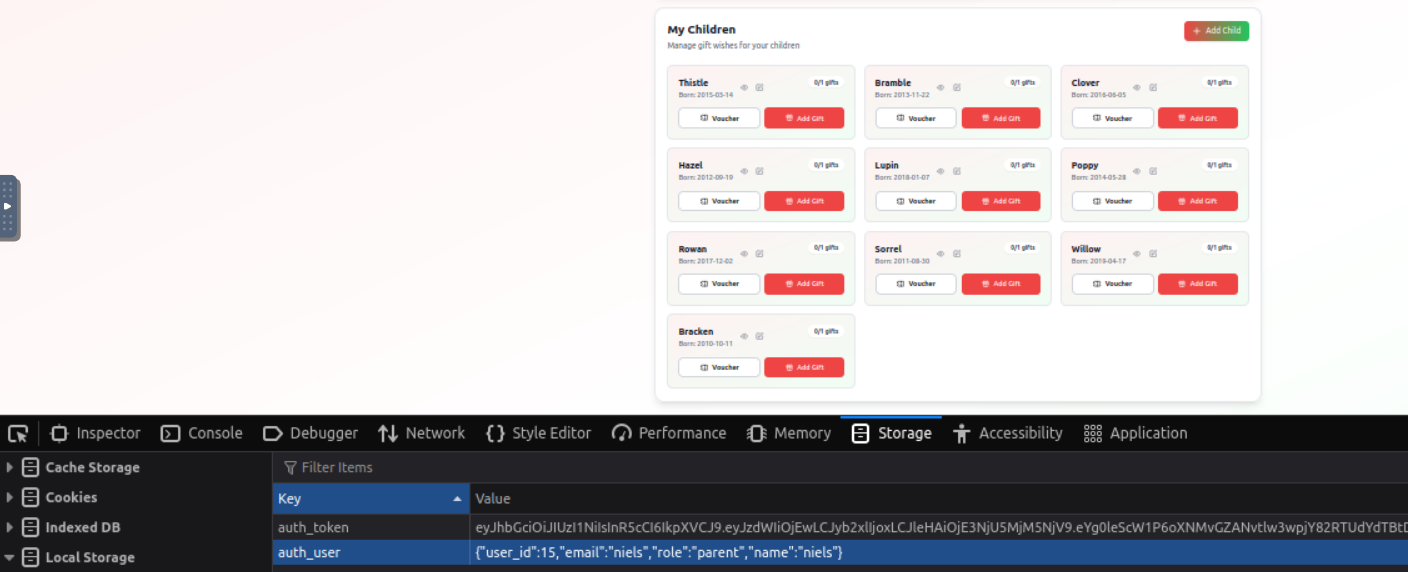
Answer: 15